


Co-Founder

A web app refers to an application software that operates on web servers and is accessed through web browsers using web technologies such as HTML, CSS, and JavaScript.
According to a study by the World Wide Web Consortium (W3C) titled "Web Technology Trends," published in 2020, 85% of modern businesses rely on web apps to improve user engagement and operational efficiency.
Web application architecture consists of aclient-side (front-end) and a server-side (back-end). This architecture ensures smooth communication between users, web servers, and databases, allowing for scalable and responsive applications.
Examples of common web apps include Google Docs, Netflix, Amazon, WhatsApp, Twitter, Facebook, and Slack. According to the Pew Research Center (2022), 76% of internet users globally engage with at least one web app daily for productivity, communication, or entertainment.
The main benefits of web apps include cross-platform compatibility, as they run on any device with a web browser, cost-effectiveness in deployment and updates, and rapid application development facilitated by modern web application frameworks.
Developing a web app involves steps such as identifying user needs, designing the user interface, programming the client and server-side logic, testing for performance, and deploying to a web server.
According to a study by Stanford University titled "Emerging Trends in Web Technologies," published in 2021, web app development has reduced development time by 40% compared to native apps due to advancements in frameworks and tools.
A web app is software that operates on a web server and is accessed via a web browser. It uses web technologies such as HTML, CSS, and JavaScript.
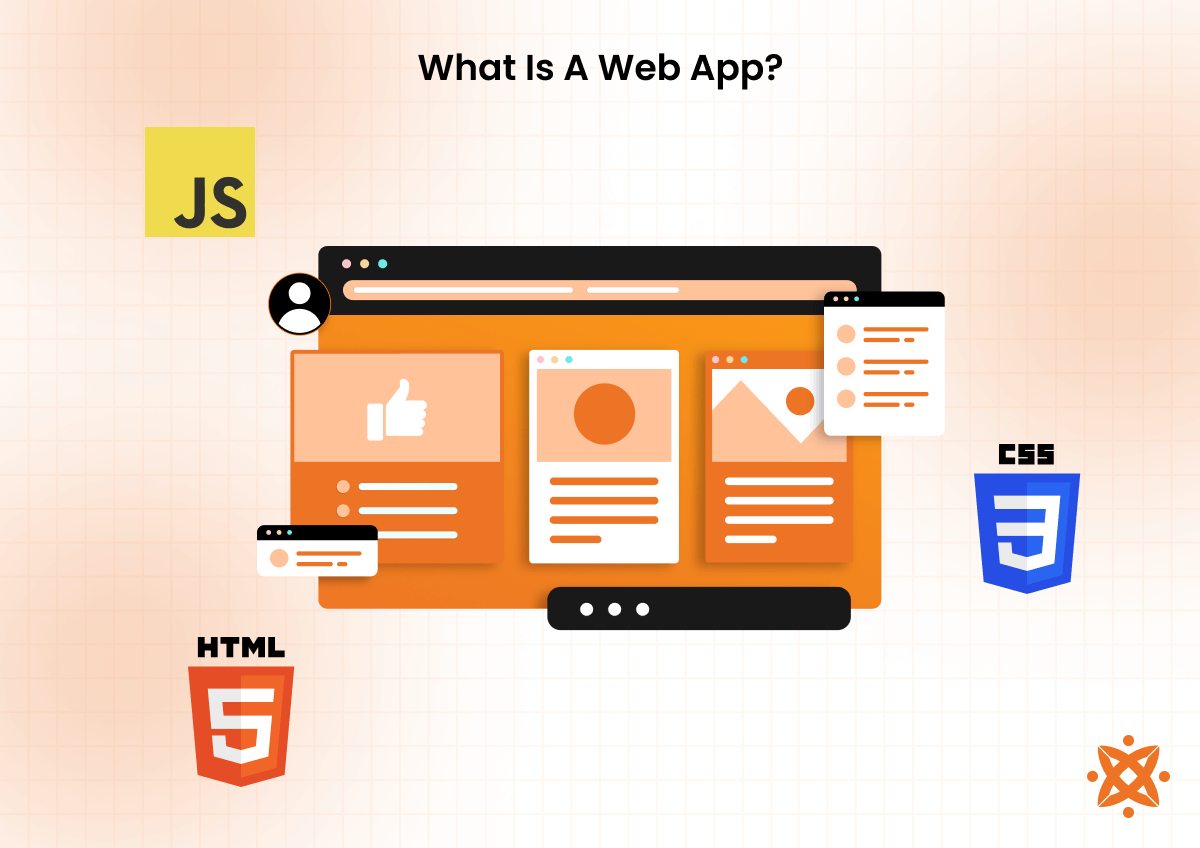
Unlike static web pages, which display fixed content, web apps generate dynamic web pages by processing user inputs and interacting with databases or APIs in real time.
These applications leverage web application frameworks and support rapid application development to deliver functionality that bridges the gap between websites and traditional software.
Web apps are used for a wide range of purposes, including online shopping, communication, productivity, and entertainment. Examples include email platforms like Gmail, video streaming services like Netflix, and online collaboration tools like Google Workspace.
They also contribute to businesses by offering adapted solutions for data management, customer engagement, and process automation.
According to a study by the World Wide Web Consortium (W3C) titled "Web Applications and Global Usage Patterns," published in 2021, over 80% of businesses globally utilize web applications to manage operations and engage customers, and 73% of internet users interact with at least one web app daily.
A web app works by leveraging a client-server architecture that enables interaction between the user, the web browser, and a web server. When a user accesses a web app through their web browser, the client-side processes their request and sends it to the server.
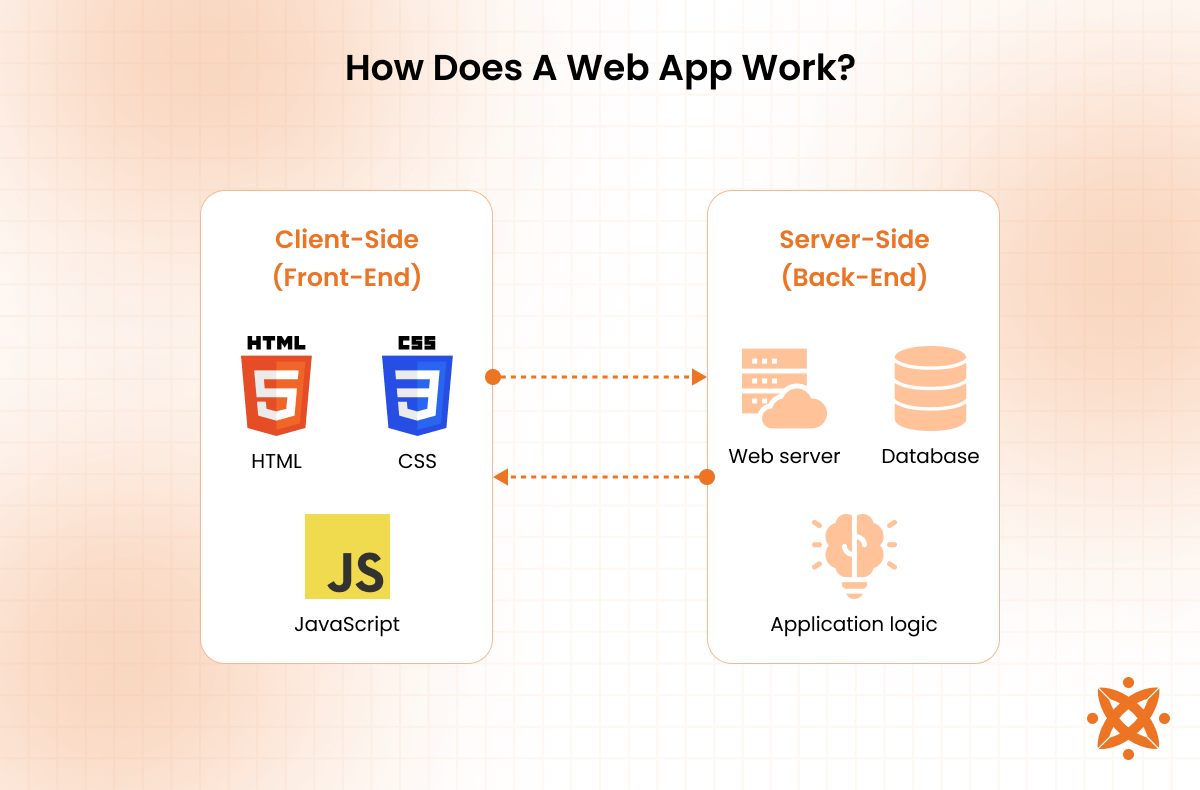
The server side handles the logic, retrieves or processes data, and sends the response back to the client, which is rendered as a dynamic web page.
The client side, built using web technologies like HTML, CSS, and JavaScript, manages the user interface and user experience.
The server side, powered by web application frameworks, performs operations such as database queries, authentication, and business logic. This real-time interaction enables the creation of responsive and functional dynamic web pages, differentiating web apps from static web pages.
According to research by Stanford University titled "Internet Operating Systems and Their Role in Web Applications" (2022), modern web apps rely on cloud-based servers to scale and ensure performance even under high traffic.
The history of web apps started in the late 1990s with the development of web browsers capable of processing scripts. Early development was marked by the use of static web pages, which limited user interaction.
The launch of JavaScript in 1995 revolutionized the landscape by enabling dynamic web pages that could respond to user inputs without requiring a full page reload.
By the early 2000s, advancements in web application frameworks like Ruby on Rails and PHP allowed developers to create more robust and scalable applications.
The introduction of AJAX (Asynchronous JavaScript and XML) in 2005 further accelerated the adoption of web apps by enabling real-time data updates and smoother user experiences. This period saw the rise of popular web apps like Gmail and Google Maps, which showcased the potential of web technologies to deliver powerful functionality through a web browser.
According to a study by MIT's Computer Science and Artificial Intelligence Laboratory, "Evolution of Internet Operating Systems and Web Applications" (2020), web apps have grown in adoption by over 500% since the early 2000s, driven by the demand for rapid application development and cross-platform compatibility.
Web application architecture is the framework that defines how the components of a web app interact, including the user interface, database, and application logic. It ensures easy communication between the client side, where users interact via a web browser, and the server side, which processes requests and delivers dynamic web pages.
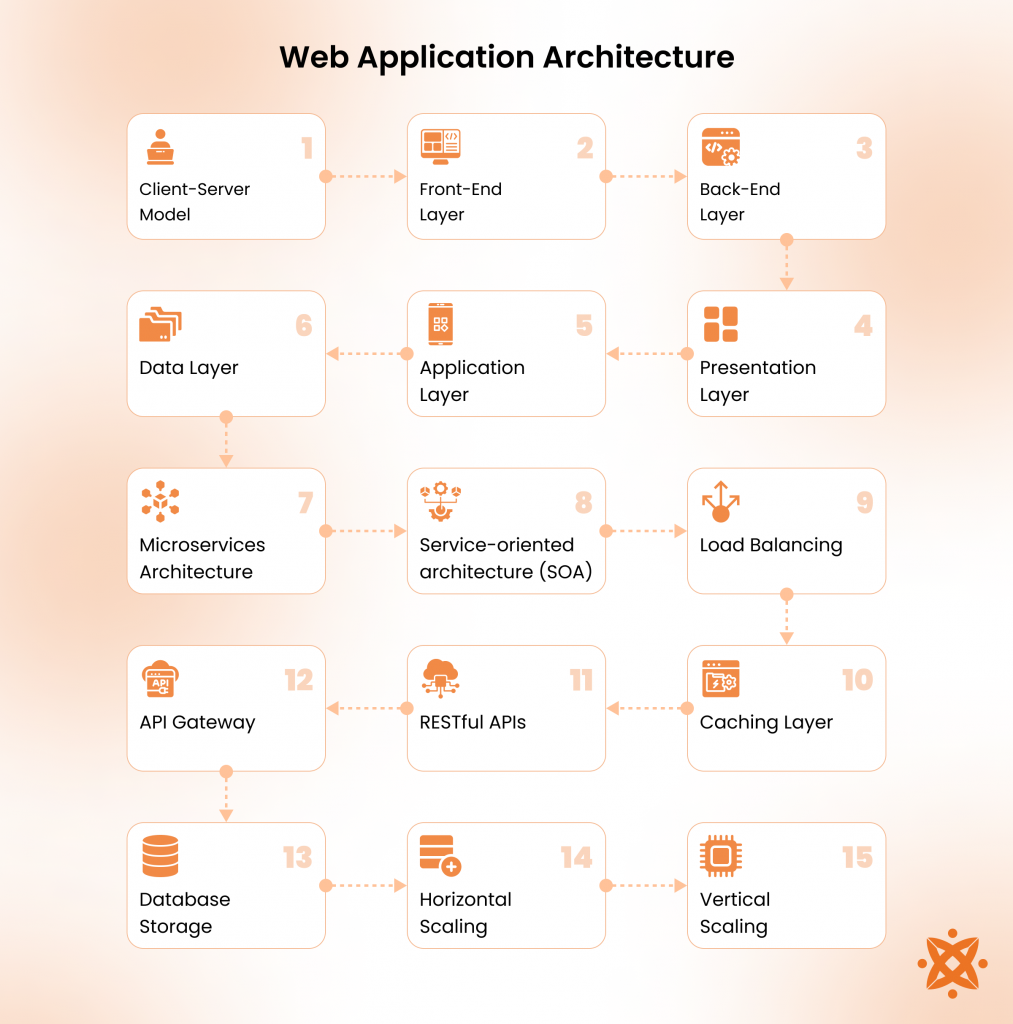
The components of web application architecture include:
The different examples of web apps include Google Docs, Gmail, Facebook, Twitter, Amazon, Netflix, YouTube, and WhatsApp. These platforms support communication, entertainment, and productivity.
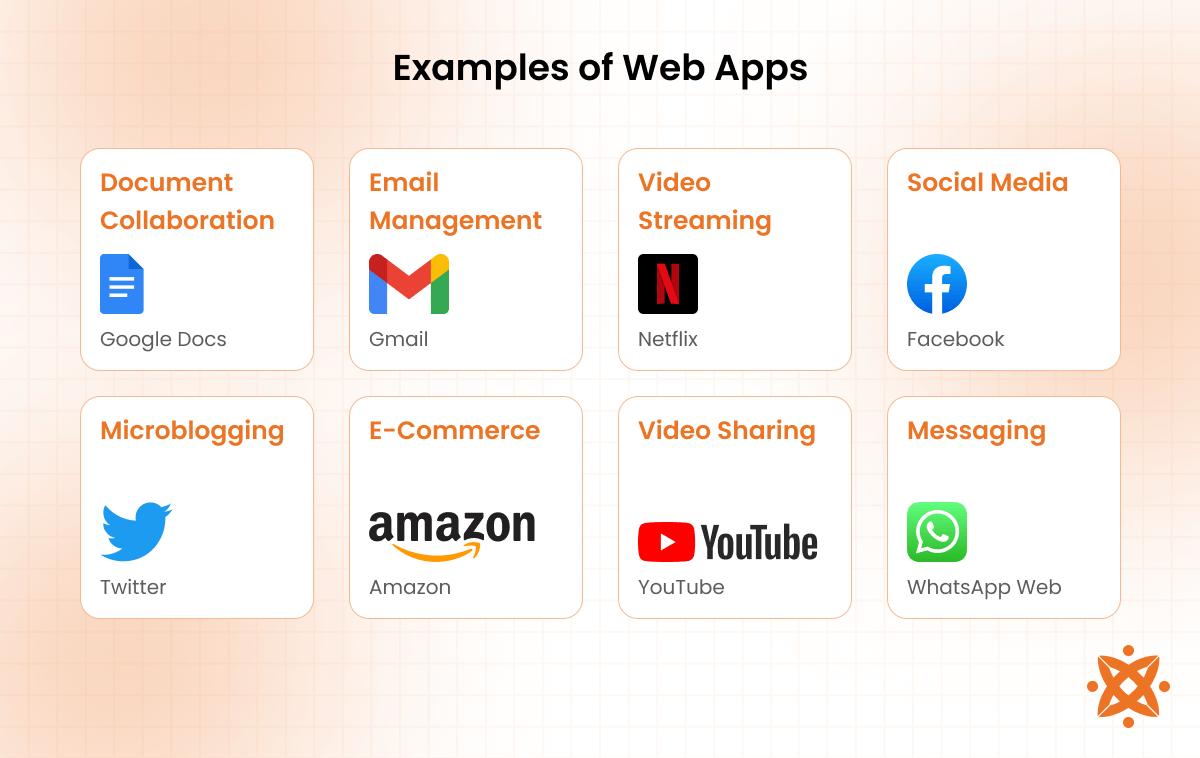
The different examples of web apps are explained below:
What is not a web app are applications that operate independently of a web browser and do not use web technologies. These applications include desktop applications, such as Microsoft Excel or Adobe Photoshop, that run locally on a computer without requiring a web server.
Similarly, native mobile apps, like Spotify or Instagram, are not web apps. They are downloaded and installed directly on smartphones and function without constant browser access. Static websites, which lack interactivity and serve only fixed content, are also not classified as web apps.
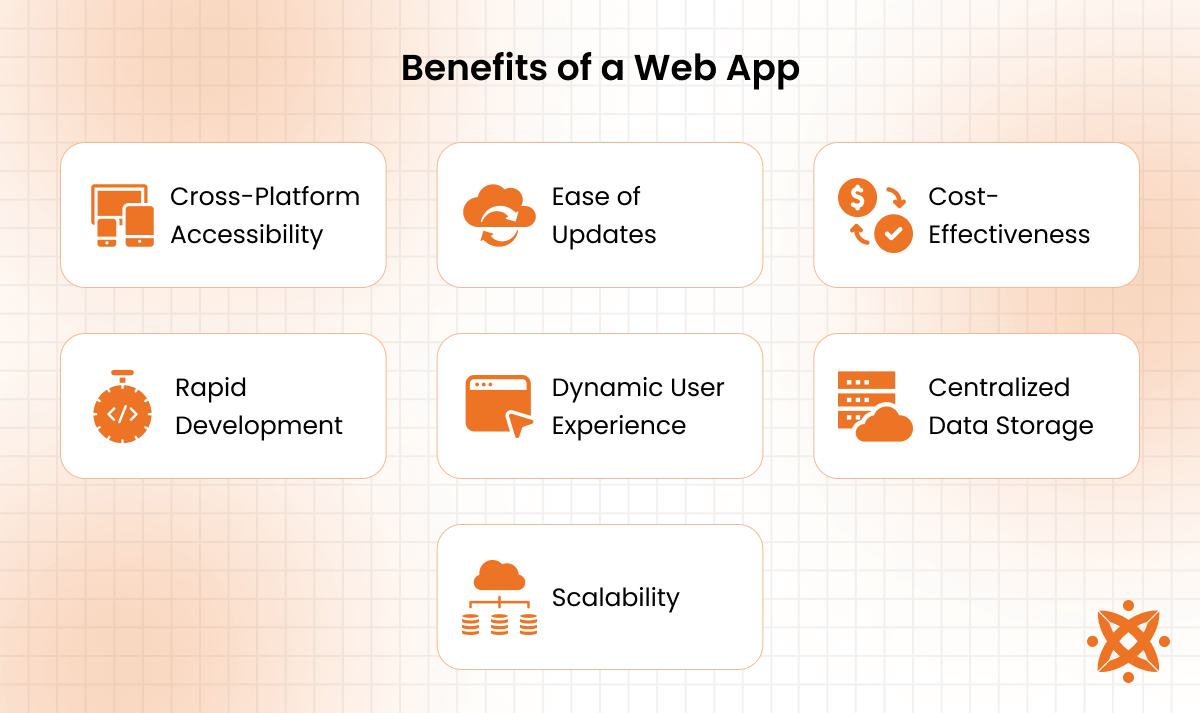
The benefits of web apps include the following:
The drawbacks of a web app include dependence on internet connectivity, limited access to device hardware, and potential performance issues compared to native apps.
For example, users experience slower load times or reduced functionality in areas with poor internet connections. Web apps cannot fully utilize features like a device's camera or GPS like native apps can.
The drawbacks of a web app are explained below:
To develop a web app for Android and iPhone, developers use a process that involves designing the user interface, building the front-end and back-end logic, testing for performance, and deploying it to a web server accessible via mobile browsers.
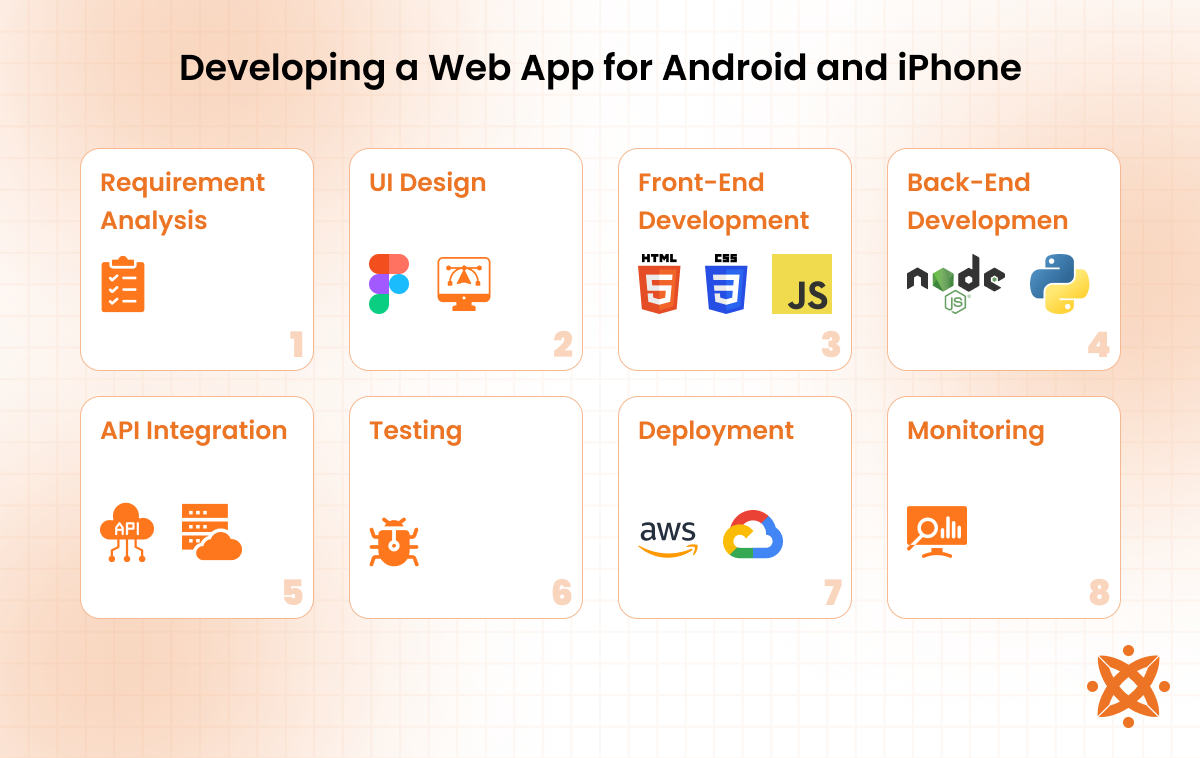
The steps involved in developing a web app for Android and iPhone are explained below:
The best web app builders include Bubble, OutSystems, and Microsoft Power Apps, known for their ease of use, scalability, and flexibility.
Bubble allows rapid application development without coding, making it ideal for startups.
OutSystems offers a robust platform for enterprise-level web apps that integrate with existing systems.
Microsoft Power Apps supports businesses in creating custom solutions with minimal technical expertise.
According to a study by Gartner titled "Low-Code Development Platforms in 2023," published in 2023, 65% of businesses prefer web app builders for their ability to reduce development costs by up to 40% while accelerating deployment timelines.
These platforms are particularly effective for companies aiming to prototype quickly and scale based on user demand.
The best free web app builders include Glide, Thunkable, and Adalo. These tools offer powerful tools for creating functional web apps without requiring coding skills.
Glide is widely used for turning spreadsheets into web apps, Thunkable allows drag-and-drop development for multi-platform compatibility, and Adalo enables prototyping and launching visually appealing apps.
The time it takes to build a web app ranges from 2 to 6 months, depending on the complexity and scope of the project. Simple web apps with basic functionality can be completed in a few weeks, while advanced apps with intricate features and integrations require several months.
According to a report by IBM titled "The Lifecycle of Web Application Development" (2023), rapid application development frameworks and no-code platforms shorten development timelines by 40%, enabling faster deployment without compromising quality.
However, factors such as team size, technology stack, and testing requirements significantly influence the overall timeline.
To create a web app without coding, developers use no-code platforms like Bubble, Glide, or Adalo, which offer intuitive drag-and-drop interfaces. Users design the app, define workflows, and integrate external services without writing a single line of code.
These tools are particularly effective for small businesses and entrepreneurs looking to launch web apps quickly and efficiently.
To design a web app user interface (UI), developers create a responsive, intuitive, and visually appealing layout that enhances user experience.
Tools like Figma, Adobe XD, and Sketch are commonly used to design UI prototypes, focusing on simplicity, consistency, and accessibility across devices.
To make a web app secure, developers must implement best practices, such as strong authentication, input validation, data encryption, and security patch techniques. These measures protect the web app against cyber threats and vulnerabilities.
Enforcing strong authentication mechanisms ensures that only authorized users access sensitive data and functionalities. Input validation techniques, such as SQL injection, also prevent injection attacks.
Encrypting data transmission with protocols like HTTPS safeguards information from being intercepted during client-server communication. Regular security testing, including vulnerability scans and penetration testing, also helps identify and address potential risks.
Finally, keeping third-party libraries, frameworks, and application components up to date with security patches further reduces exposure to known vulnerabilities.
Yes, you can convert a web app into a mobile app using tools and frameworks such as Apache Cordova, Flutter, or React Native.
These frameworks allow developers to wrap the web app's functionality within a native container. This enables the app to run on Android and iPhone devices while retaining access to native features like push notifications and offline storage.
The cost of developing a web app ranges between £4,000 and £120,000, depending on the complexity, features, and development approach.
Simple web apps with basic functionality, such as calculators or small informational platforms, cost around £4,000 to £12,000. In contrast, advanced web apps with dynamic features, integrations, and scalable architecture, like e-commerce or social networking platforms, cost upwards of £80,000.
The cost factors of developing a web app include the scope and complexity of the app, with additional features such as real-time data updates or integrations with third-party APIs increasing expenses.
The choice of development approach also plays a role. Using no-code platforms like Bubble significantly reduces costs to under £8,000, while custom development with professional teams raises costs due to higher design, development, and testing requirements.
Geographic location also affects costs. Developers in North America charge an average of £80-£160 per hour, compared to £20-£40 per hour in regions like South Asia.
The differences between a web app and a website are in their interactivity, functionality, and purpose.
A web app is designed for user interaction, allowing dynamic inputs and responses, such as filling out forms, shopping online, or streaming content. In contrast, a website serves static information with limited interactivity, such as displaying text, images, or videos.
Web apps also rely heavily on web application frameworks and back-end processes to provide advanced functionality, while websites focus primarily on presenting content using static web pages.
For example, Netflix (a web app) provides a dynamic user experience by streaming content based on preferences, whereas Wikipedia (a website) offers static, information-rich pages.
According to a report by the World Wide Web Consortium (W3C) titled "Web Development Standards 2023," over 85% of businesses incorporate both websites and web apps to cater to diverse user needs.
The differences between a web app and a native app are in their platform dependency, accessibility, and performance.
A web app operates within a web browser using internet access and web technologies. In contrast, a native app is specifically built for a particular platform, such as Android or iOS, and must be downloaded and installed from app stores.
Web apps are accessible across multiple devices without installation, making them more versatile but dependent on internet connectivity. In contrast, native apps fully utilize device hardware, such as GPS or cameras, and offer superior performance, but they require separate development for each platform.
For example, WhatsApp's mobile version is a native app, while its web version operates as a web app.
According to a report by Statista titled "Global App Development Trends 2023," native apps dominate user engagement and account for 70% of app usage time globally. Still, web apps remain favored for their cross-platform accessibility and cost efficiency.
The differences between a web app and a desktop app are in their installation, accessibility, and platform dependency. A web app runs on a web browser and requires internet connectivity, while a desktop app is installed directly on a computer and functions offline in most cases.
Web apps are accessible across multiple devices and operating systems, whereas desktop apps are platform-specific and must be separately developed for Windows, macOS, or Linux.
For example, Google Docs is a web app accessible through any browser, while Microsoft Word is a desktop app requiring installation on a specific computer.
The differences between a web app and a web service lie in their purpose, interaction, and functionality. A web app is designed for user interaction, providing a dynamic interface through a web browser. In contrast, a web service operates as a backend system that facilitates communication between applications over a network.
Web apps focus on delivering a complete user experience, such as streaming content or enabling online shopping. In contrast, web services, such as RESTful APIs, are invisible to end users and are used to exchange data or perform tasks like enabling payment gateways or fetching weather updates.
The differences between a web app and a web API are in their functionality, target audience, and interaction. A web app is a user-facing application accessed through a browser that provides interactive experiences like editing documents or streaming videos.
In contrast, a web API is a backend interface designed for software-to-software interaction. It enables applications to communicate and exchange data.
Web apps also focus on delivering features directly to end users, while web APIs serve as tools for developers to integrate functionalities, such as connecting an e-commerce platform to a payment gateway or retrieving data from a database.
The differences between a web app and a progressive web app (PWA) are in their capabilities, offline functionality, and user experience. A web app requires an internet connection to function, while a PWA works offline by caching data locally.
Additionally, PWAs offer features like push notifications and the ability to be installed on a device, bridging the gap between web and native apps.
Web apps are limited to browser-based usage, while PWAs enhance user engagement by providing an app-like experience directly from the browser.
For example, Twitter Lite is a PWA that combines the accessibility of a web app with the functionality of a native app.
The differences between a web app and a function app lie in their scope, purpose, and execution. A web app is a full-featured application designed for end-user interaction through a browser, while a function app is a lightweight, event-driven service that executes specific tasks in response to triggers, such as API calls or file uploads.
Web apps provide comprehensive functionality for tasks like communication or shopping, while function apps focus on performing isolated operations, such as sending notifications or processing image uploads.
For instance, Azure Functions is a function app platform used for serverless computing, while Gmail operates as a web app for email services.
Yes, you can use AI to build a web app by automating various aspects of the development process, such as design, coding, and testing. Tools like GitHub Copilot assist developers by generating code based on input, while platforms like Figma with AI plugins help streamline UI/UX design.
AI also enables rapid prototyping and predictive analytics, making it easier to adapt user experiences and optimize application performance.
For example, developers use AI-powered frameworks to integrate machine learning models directly into web apps, enabling individualized recommendations or dynamic content delivery.
The programming coding languages used to make web apps are a combination of front-end, back-end, and database languages.
Common front-end languages include HTML, CSS, and JavaScript, which handle the user interface and experience. Back-end development relies on languages like Python, Ruby, PHP, and Java, which manage server-side logic and data processing.
For database management, SQL is widely used for relational databases, while NoSQL solutions like MongoDB support more flexible, unstructured data.
Frameworks such as React or Angular improve front-end development, while back-end frameworks like Django and Node.js streamline server-side functionality.
To choose a web app development company in the UK, consider factors like experience, portfolio, technical expertise, and client reviews.
Look for companies with proven expertise in modern web technologies, such as React, Node.js, and Django. Review their portfolios to assess the quality and complexity of previous projects.
Evaluate client testimonials and industry ratings to ensure reliability and professionalism. Additionally, prioritize companies offering transparent pricing, effective communication, and post-launch support to address updates and maintenance.
Leading UK-based companies include ELEKS, Cyber-Duck, and IT Craft, which are known for their innovative and customer-centric approaches.
The best web app ideas to make money include e-commerce platforms, subscription-based services, and online learning apps.
E-commerce web apps, like Shopify, enable users to sell products online, while subscription-based apps, such as Netflix or Spotify, generate recurring revenue through memberships.
Online learning platforms, like Coursera or Duolingo, monetize through course fees or ads. Other profitable ideas include job portals, freelance marketplaces, and personal finance tools.
They address high-demand markets and offer multiple revenue streams, such as advertisements, premium memberships, or transaction fees.
Sign up now and get notified when we publish a new article!
Co-Founder
Hey there. I am Dhaval Sarvaiya, one of the Founders of Intelivita. Intelivita is a mobile app development company that helps companies achieve the goal of Digital Transformation. I help Enterprises and Startups overcome their Digital Transformation and mobile app development challenges with the might of on-demand solutions powered by cutting-edge technology.
