


Co-Founder

A mobile app refers to a software application designed to run on mobile devices such as smartphones or tablets.
"A survey conducted by Pew Research Center between May and September 2023 revealed that 83% of U.S. adults use YouTube, 68% use Facebook, and 33% use TikTok, indicating significant engagement with these mobile applications.
The three main types of mobile apps are native apps, web apps, and hybrid apps. These apps are built for specific platforms like iOS or Android, web apps, which run on browsers and require an internet connection.
According to Statista (2022), native apps account for about 60% of all mobile app downloads, highlighting their dominance in the market.
The common examples of mobile apps include fitness apps like MyFitnessPal, food delivery apps like Uber Eats, and social media apps like Instagram. These apps provide different functionalities, each catering to specific user needs and preferences.
The mobile app development process involves several stages, starting with planning and UI design, followed by coding, testing, and deployment to an app store such as Google Play or the Apple App Store.
The cost of developing a mobile app ranges from £10,000 and exceeds £40,000 depending on factors like app complexity, platform, and the development team's location.
In-app purchases and app monetization models help recover development costs, but additional expenses such as data privacy measures, app security, and testing tools must be accounted for.
According to Statista (2021), the average cost of developing a mobile app is around $170,000 for a basic, medium-complexity app.
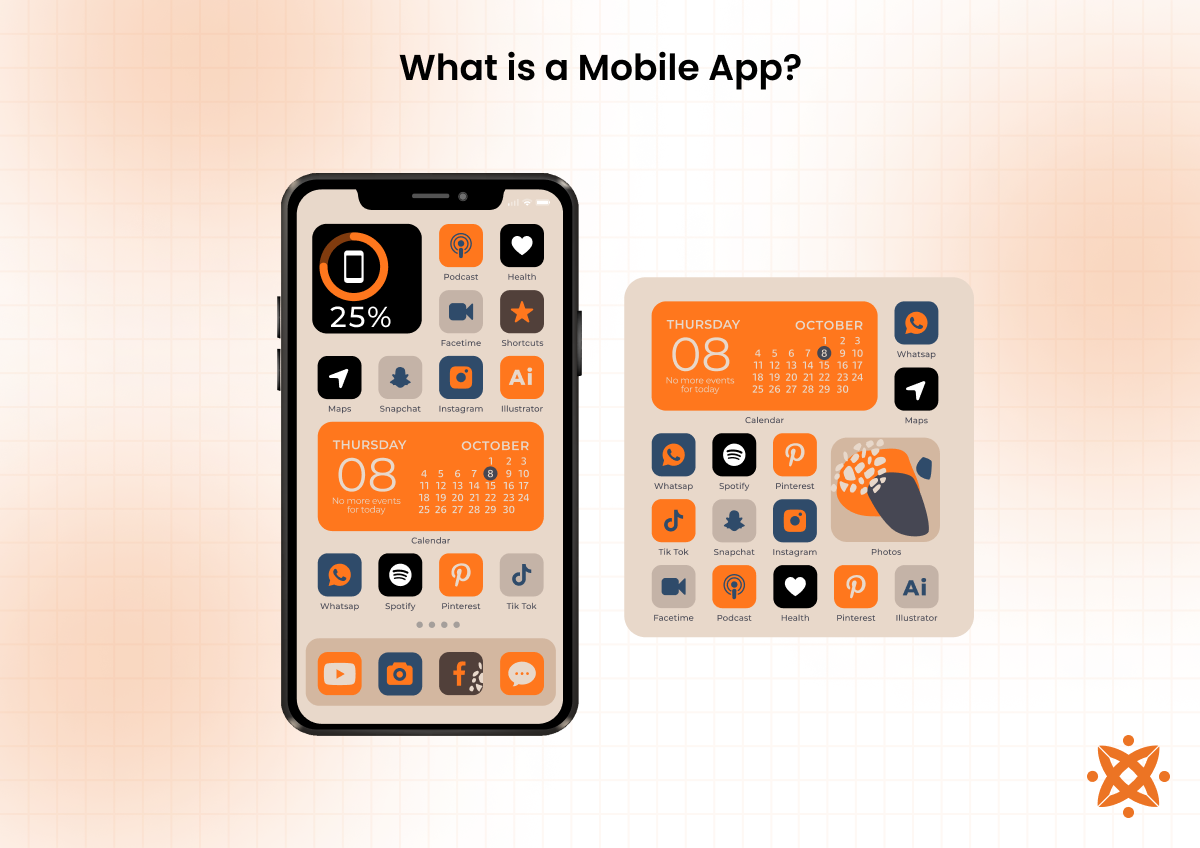
A mobile app is a software application specifically designed to operate on mobile devices such as smartphones and tablets, providing attuned functionality optimized for smaller screens and on-the-go usage.
The core features of mobile applications include intuitive user interfaces, seamless integration with device hardware such as cameras and GPS, and functionality that enables users to perform specific tasks efficiently.
These apps are distinguished by their responsiveness, offline capabilities, and support for notifications, all of which improve the user experience.
Mobile apps are created with the purpose of solving specific user problems or providing entertainment, information, or tools that simplify everyday tasks.
The benefits of mobile apps range from improved ease of use to better accessibility, allowing users to access services and information at their fingertips.
According to Statista, in 2023, mobile users worldwide spent almost 16 billion hours using mobile apps, up by 24.5 percent compared to 2022.
The architecture of mobile apps varies but includes a front-end interface, a back-end server, and an application programming interface (API) to connect the interface and server.
Developers use frameworks like React Native and Flutter to ensure apps perform optimally across platforms.
Apps are built for major platforms such as Android, iOS, and Windows, with each requiring specific programming languages like Java for Android or Swift for iOS.
Cross-platform tools allow developers to create apps that run smoothly on multiple systems, increasing accessibility and reducing development time.
The trends in mobile app development show better performance, robust security, and compliance with mobile app accessibility standards. These trends ensure apps are also usable by individuals with disabilities.
According to Statista's mobile usage report for 2023, mobile apps accounted for 88% of mobile internet time, demonstrating their integral role in daily life.
The 3 most popular types of mobile apps include:
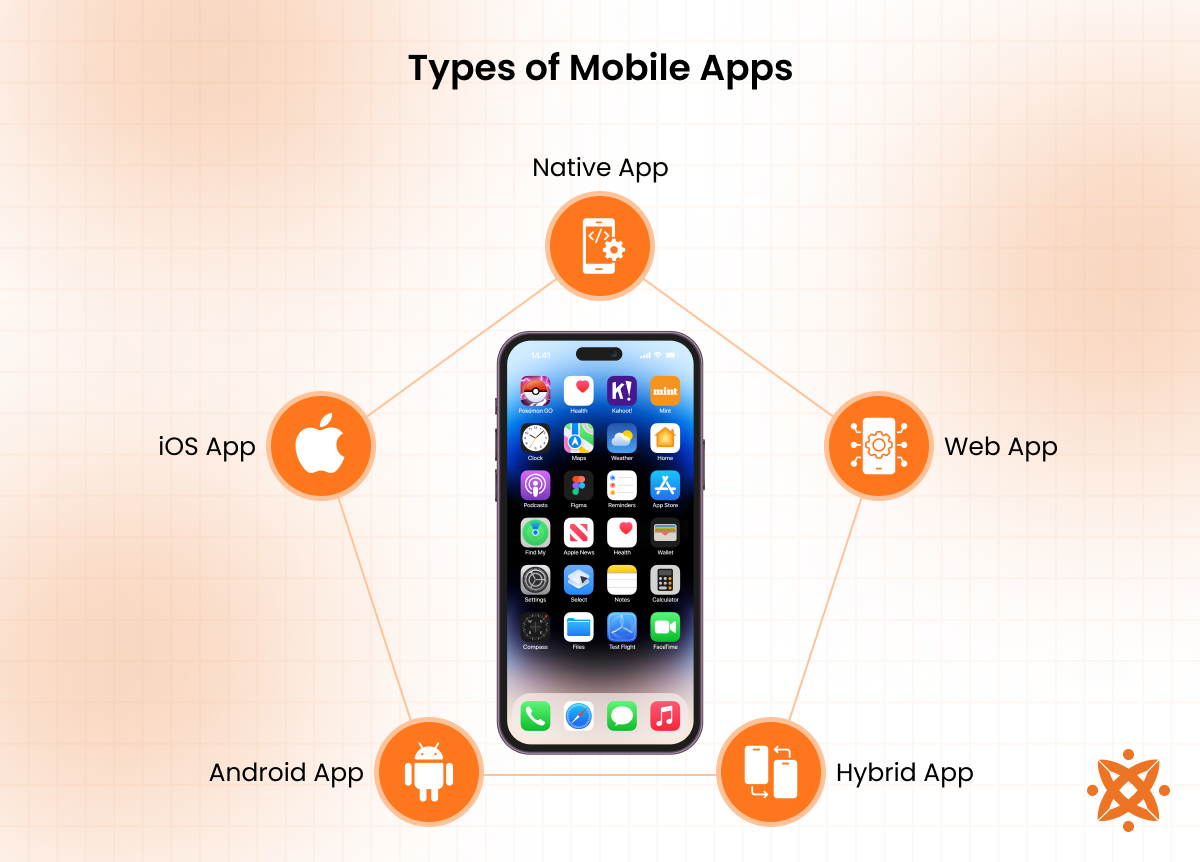
A native mobile app is a type of application built specifically for a single platform, such as Android or iOS, ensuring smooth performance and integration with the platform's features. These apps are developed using platform-specific programming languages—Java or Kotlin for Android and Swift or Objective-C for iOS.
Developers create apps that are fast, responsive, and capable of utilizing device features like cameras and GPS efficiently by leveraging the platform's native tools and frameworks.
The primary advantage of native apps is their performance and user experience, as they are optimized for the operating system they are built for.
This advantage also allows developers to implement complex features and access advanced APIs. However, developing native apps is time-consuming and expensive, as separate codebases are required for each platform.
An Android app is a mobile application specifically created to operate on devices running the Android operating system. These apps are built using programming languages like Java and Kotlin and are distributed through platforms like the Google Play Store.
Android apps are known for their flexibility and wide compatibility, supporting a vast range of devices globally.
An iOS app is a mobile application designed exclusively for devices running Apple's iOS, such as iPhones and iPads.
Developed using Swift or Objective-C, these apps are distributed through the Apple App Store. iOS apps are recognized for their high-quality performance and easy integration with Apple's ecosystem.
A Windows app is a software application designed for devices running the Windows operating system, including PCs, tablets, and mobile devices.
These apps are developed using languages like C# and C++ through Microsoft's Universal Windows Platform (UWP). Windows apps are valued for their compatibility with a wide range of Microsoft services and devices.
A web mobile app is an application accessed through a mobile web browser rather than being installed on a device. Built using web technologies like HTML5, CSS, and JavaScript, these apps rely on internet connectivity for functionality and deliver a user experience similar to native apps.
A well-known example is Progressive Web Apps (PWAs), which combine the reliability of web apps with enhanced capabilities like offline functionality.
The technology behind the web mobile app allows it to be cross-platform and easily updated without user intervention. However, they lack access to advanced hardware features compared to native apps.
MS Teams, for example, has both a web and native mobile version, but the web version has limitations in offline scenarios or when accessing device-specific features.
The primary advantage of web mobile apps is their ease of deployment and universal accessibility, while a notable disadvantage is their dependence on consistent internet access for optimal performance.
A hybrid mobile app is a combination of native and web technologies designed to work across multiple platforms while utilizing a single codebase.
These apps are developed using frameworks like Ionic, React Native, and Flutter, with programming languages such as JavaScript, Dart, or TypeScript. They run within a web view and have access to device features through plugins.
Hybrid apps offer the advantage of cost-efficiency and faster development since one codebase serves multiple platforms. However, they lack the performance and responsiveness of fully native apps, especially for graphics-intensive or complex applications.
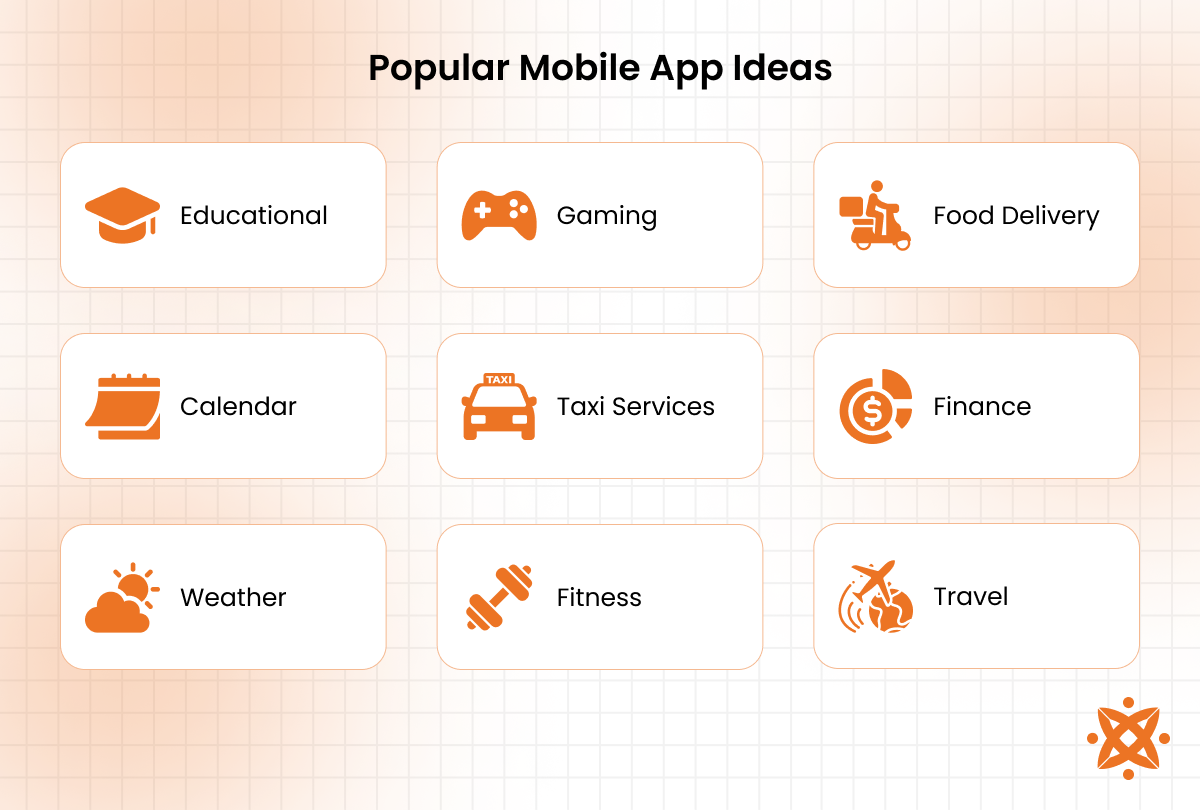
The most common examples of mobile app ideas are:
A fitness app is a mobile application designed to help users achieve their health and fitness goals by offering individualized workout plans, tracking physical activity, and providing nutritional guidance. These apps integrate with wearable devices to monitor metrics like heart rate and calories burned.
Examples of fitness apps include workout planners (e.g., MyFitnessPal), activity trackers (e.g., Fitbit), and yoga or meditation apps (e.g., Calm). These apps cater to diverse fitness needs, from beginners to advanced users.
A food delivery app connects users with local restaurants and delivery services, allowing them to browse menus, place orders, and track deliveries in real-time. These apps refine the dining experience by offering convenient access to a variety of cuisines.
Examples include on-demand delivery apps (e.g., Uber Eats and DoorDash) and restaurant-specific apps (e.g., Domino's). They enhance user convenience while supporting local businesses.
An Uber Taxi App is a ride-hailing application that allows users to book and track rides easily through their mobile devices. It connects passengers with nearby drivers using GPS technology, offering an efficient alternative to traditional taxi services.
Examples include Uber and similar platforms like Lyft and Bolt, which provide options for standard rides, carpooling, and premium services to meet various transportation needs.
A gaming app provides entertainment through interactive games designed for mobile devices. These apps offer various genres, including puzzles, action, role-playing, and multiplayer games, catering to users of all ages and interests.
Examples of gaming apps include popular titles like Candy Crush Saga, PUBG Mobile, and Among Us, which deliver immersive experiences and social interaction through gaming.
A sports app delivers real-time updates, live scores, and in-depth analytics for sports enthusiasts. These apps provide a platform to follow favorite teams, track player statistics, and even stream live games.
Examples include ESPN, Yahoo Sports, and Bleacher Report, which offer comprehensive coverage of various sports leagues and events worldwide.
A taxi app allows users to book rides conveniently, offering features like real-time driver tracking, fare estimation, and multiple payment options. These apps simplify transportation by connecting passengers with available drivers in their vicinity.
Examples include Bolt, Ola, and traditional taxi services with digital extensions like Yellow Cab's app, catering to various regional and global markets.
An augmented reality app improves the real-world environment by overlaying digital content, such as images, animations, or data, through a smartphone or tablet camera. These apps are used for gaming, shopping, education, and real-world simulations.
Examples include Pokémon GO, IKEA Place, and Google Lens, which blend virtual elements with physical surroundings for engaging and practical experiences.
A virtual reality app creates immersive digital environments that users interact with through VR headsets or compatible devices. These apps are commonly used for gaming, training simulations, virtual tours, and educational experiences.
Examples include Google Cardboard, Oculus VR, and VRChat, which provide users with a fully immersive virtual experience for entertainment and practical applications.
A social media app facilitates online interaction and content sharing among users, enabling them to connect, communicate, and engage with communities worldwide. These apps support features like messaging, multimedia sharing, and content creation.
Examples include Facebook, Instagram, and TikTok, which dominate the social networking space with billions of active users.
A finance app helps users manage their finances by offering tools for budgeting, expense tracking, and investment management. These apps provide secure access to financial accounts and real-time transaction monitoring.
Examples include Mint for budgeting, Robinhood for investments, and PayPal for online payments, catering to personal and business financial needs.
A travel app simplifies trip planning and enhances travel experiences by providing tools for booking flights, hotels, and transportation, as well as offering destination guides and itineraries. These apps are designed to assist travelers at every stage of their journey.
Examples include TripAdvisor for reviews and recommendations, Skyscanner for flight bookings, and Google Maps for navigation, making travel more convenient and informed.
A dating app connects individuals seeking relationships, friendships, or casual connections by using algorithms and user preferences to match profiles. These apps include features like messaging, profile customization, and location-based matching.
Examples include Tinder, Bumble, and OkCupid, which offer a variety of approaches to online dating, catering to diverse relationship goals.
A calculator app provides users with mathematical computation tools directly on their mobile devices. These apps range from basic calculators for arithmetic to advanced versions capable of solving scientific, engineering, and financial equations.
Examples include Microsoft Math Solver, Calculator++, and native calculator apps found on most smartphones, offering convenience and versatility for everyday calculations.
A weather app provides real-time weather updates, forecasts, and alerts adapted to the user's location. These apps help users plan their activities by offering detailed information such as temperature, precipitation, wind speed, and air quality.
Examples include AccuWeather, The Weather Channel, and Yahoo Weather, which combine accurate forecasts with user-friendly interfaces and additional features like radar maps.
A Shopify app allows users to create, manage, and optimize their e-commerce stores directly from their mobile devices. These apps offer features like inventory tracking, sales analysis, and customer management to streamline online business operations.
Examples include the Shopify Mobile App for store management and third-party apps like Oberlo for product sourcing, making e-commerce more accessible and efficient for business owners.
A productivity app helps users organize tasks, manage time, and boost efficiency in personal or professional settings. These apps include tools for note-taking, scheduling, collaboration, and task prioritization. Examples include Trello for task management,
Evernote for note-taking, and Google Calendar for scheduling, catering to users aiming to streamline their daily workflows.
A task manager app enables users to plan, organize, and track their tasks effectively. These apps provide features like to-do lists, deadlines, reminders, and progress tracking to ensure productivity and timely completion of goals.
Examples include Todoist, Asana, and Microsoft To Do, which support personal and team-based task management with intuitive interfaces.
An educational app facilitates learning by providing interactive tools, courses, and resources for users of all ages.
These apps enhance education through features like quizzes, video lessons, and progress tracking, catering to both formal and self-paced learning environments.
Examples include Duolingo for language learning, Khan Academy for academic subjects, and Coursera for professional development, making education accessible and engaging worldwide.
A meditation app supports mental well-being by providing guided meditations, breathing exercises, and mindfulness techniques. These apps are designed to help users manage stress, improve focus, and enhance their overall mental health.
Examples include Headspace, Calm, and Insight Timer, which offer individualized programs for relaxation, sleep improvement, and emotional balance.
A health app empowers users to monitor and improve their physical and mental well-being by tracking vital metrics, offering health tips, and integrating with wearable devices. These apps cater to fitness enthusiasts, chronic disease management, and general health monitoring.
Examples include Apple Health, MyFitnessPal, and Fitbit, which provide tools for tracking workouts, monitoring heart rates, and managing dietary goals.
A business app makes operations easier and enhances productivity by providing tools for communication, project management, and data analysis. These apps cater to various business needs, from customer relationship management to team collaboration.
Examples include Slack for communication, Zoom for virtual meetings, and Salesforce for CRM, helping businesses operate efficiently in dynamic environments.
A note-taking app allows users to create, organize, and store notes digitally, offering tools like text formatting, voice recording, and cloud synchronization. These apps are relevant for personal organization, academic work, and professional tasks.
Examples of note-taking apps include Evernote, Microsoft OneNote, and Notion, which provide versatile features for capturing and managing information efficiently.
A calendar app helps users organize their schedules by providing tools for setting appointments, reminders, and events. These apps integrate with other platforms for easy planning and ensure that users stay on top of their personal and professional commitments.
Examples of calendar apps include Google Calendar, Apple Calendar, and Microsoft Outlook Calendar, which offer synchronization across devices and collaboration features for team schedules.
To develop a mobile app for Android, iPhone, and Windows, the mobile app development process involves selecting the right technology stack, designing mobile apps with an intuitive user interface and smooth user experience, and integrating necessary features like API integrations and push notifications.
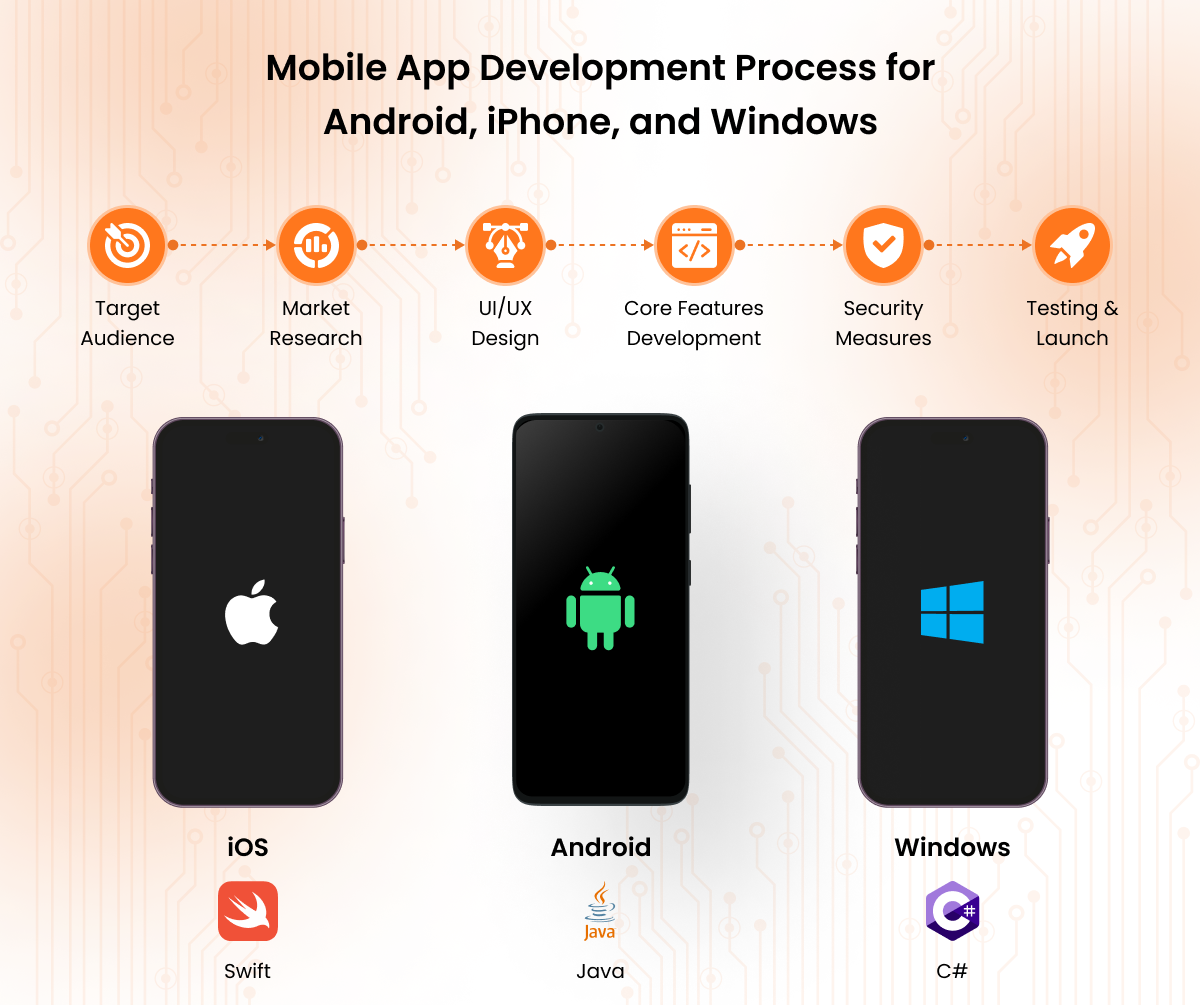
While Android and iPhone development requires platform-specific tools like Java and Swift, cross-platform mobile app development uses frameworks such as Flutter or React Native to ensure compatibility across all three platforms, including Windows.
The Android mobile app development process follows a structured series of steps to create a fully functional app. Below are the detailed steps involved in Android app development:
The iPhone mobile app development process follows a series of steps to create high-quality apps for iOS devices. Here are the key steps involved in developing an iPhone app:
The Windows mobile app development process involves creating applications for devices running Windows, such as smartphones, tablets, and PCs. Below are the main steps involved:
The cross-platform mobile app development process allows developers to create apps that work on multiple platforms (Android, iOS, Windows) using a single codebase. Below are the steps involved in cross-platform mobile app development:
The essential types of testing for mobile app quality assurance include functional testing, usability testing, performance testing, and security testing.
These tests evaluate the app's ease of use and ensure the app functions well under various conditions and protects user data.
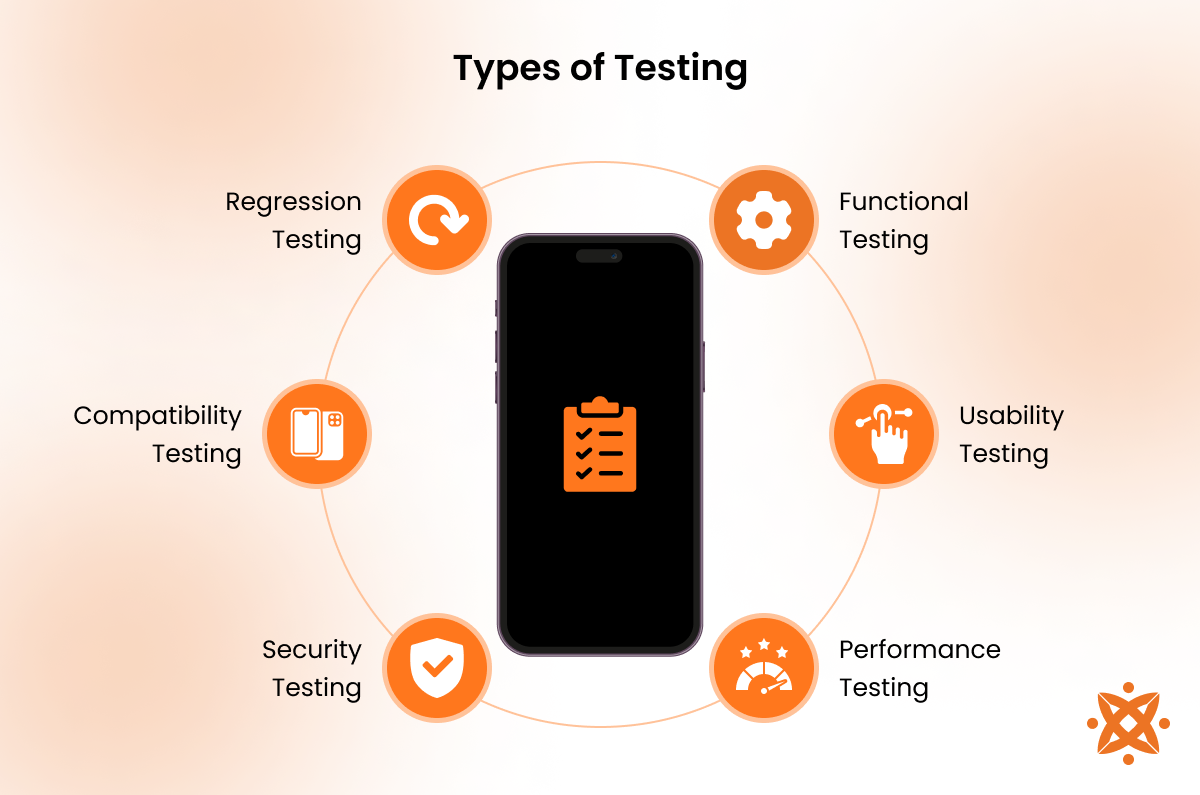
The essential types of testing for mobile app quality assurance include:
The cost of developing a mobile app ranges from £10,000 and exceeds £40,000, with the price varying based on factors such as app complexity, platform, features, and the development team's location.
Simple apps with basic functionalities cost as little as £8000, while more complex, feature-rich apps exceed £12,000, especially if they require advanced features like real-time data processing or custom integrations.
One of the primary cost factors is the complexity of the app. Apps that require custom features such as live chat, advanced database integration, or real-time notifications cost anywhere from £35,000 to £80,000, depending on the required functionality.
Another significant cost factor is the platform on which the app is being developed. Developing for Android, iOS, and Windows involves separate development processes, which increases costs. For native development on a single platform, the cost is between £35,000 and £80,000.
If the app needs to be developed for multiple platforms, the cost increases and ranges from £15,000 to £150,000 due to the additional work required to maintain separate codebases or the integration of cross-platform tools like React Native or Flutter.
The design phase, including both user interface (UI) and user experience (UX) design, also contributes to the overall cost. A highly polished design focused on delivering a smooth, user-friendly experience adds anywhere from $10,000 to $50,000 to the development budget.
Design costs vary depending on the app's complexity and whether custom animations or high-quality graphics are required.
The development team also plays a significant role in determining the overall cost. Hiring a team from regions with higher labor rates, such as the U.S. or Western Europe, will cost between $100 to $200 per hour, whereas developers in areas like Eastern Europe or India charge significantly lower rates, ranging from $25 to $100 per hour.
The cost of the team depends on their expertise, the region they are based in, and the scope of the project.
Finally, testing and quality assurance (QA) account for another portion of the cost, usually around 10% to 15% of the total development cost.
For a basic app, testing costs between £2,000 and £5,000, while more complex applications that require extensive testing across different devices and platforms cost up to £10,000.
The difference between a mobile app and a web app is that a mobile app is installed on a device and runs natively, while a web app is accessed through a browser and requires an internet connection.
A mobile app is a software application developed specifically for mobile devices, like smartphones and tablets, and is downloaded and installed from an app store. In contrast, a web app is accessed through a web browser and does not require installation, as it runs on the Internet.
While mobile apps work offline and send push notifications, web apps are generally more cost-effective to develop and maintain, as they require a single codebase for all platforms.
The difference between a mobile app and a progressive web app is its operation modulus. A mobile app is installed directly on a device and operates offline. In contrast, a progressive web app is accessed through a web browser and relies on internet connectivity but offers features like offline functionality and push notifications.
According to a study by Google titled "The State of Progressive Web Apps," published in 2020, PWAs offer a lightweight alternative to mobile apps, enabling faster development with a single codebase for multiple platforms.
While mobile apps generally provide better performance and deeper integration with device features, PWAs are more accessible and cost-effective, as they don't require manual updates through app stores.
The difference between a mobile app and a desktop app is the device on which it works. A mobile app is designed for smartphones and tablets with touch interfaces, while a desktop app is built for use on computers with larger screens, richer interfaces, and more powerful hardware.
According to the National Institute of Standards and Technology (NIST) in their 2020 publication "Security and Privacy in Mobile and Desktop Applications," mobile apps have limitations in terms of processing power and storage compared to desktop apps, which take advantage of more powerful hardware for complex operations.
While mobile apps are ideal for quick, on-the-go tasks, desktop apps provide a more comprehensive, detailed experience suited for tasks that require significant computing power.
Common vulnerabilities in mobile apps include insecure data storage, improper implementation of authentication mechanisms, and lack of encryption for sensitive data.
According to a report by the OWASP Foundation titled "OWASP Mobile Security Testing Guide" (2020), insecure data storage allows attackers to access sensitive information stored on mobile devices, while weak authentication mechanisms lead to unauthorized access.
Additionally, apps that do not encrypt communication channels are vulnerable to data interception during transmission. These security flaws put user data at risk, especially if apps do not follow best practices in data protection and security.
The best practices for designing intuitive mobile app interfaces include simplicity, clarity, and user-centered design.
According to the Interaction Design Foundation (2020), an effective mobile app design should prioritize easy navigation, minimalist layouts, and clear call-to-action buttons.
Ensuring that the user interface (UI) is responsive and easy to interact with, such as optimizing buttons for touch gestures and minimizing the number of steps to complete tasks, improves the user experience (UX).
Additionally, using familiar patterns, such as standard navigation bars or swipe gestures, reduces the learning curve for new users. Regular usability testing and feedback loops are also relevant to continuously improving the design based on real user experiences.
The best mobile app design builders are Figma, Adobe XD, and Sketch. These builders provide intuitive, drag-and-drop interfaces, allowing users to create apps without extensive coding knowledge.
According to Forbes (2020), popular app design builders such as Figma, Adobe XD, and Sketch offer powerful tools for designing app interfaces that can be integrated with development workflows.
Figma is known for its real-time collaboration features, making it ideal for teams working remotely. Adobe XD excels in creating interactive prototypes with a focus on user experience, while Sketch is favored for its vector-based design capabilities and simplicity.
These tools enable designers to craft professional-quality UI/UX for mobile apps with ease, speeding up the design-to-development process.
Yes, you can develop a mobile app with Python, though it is not the most common language for mobile development.
While Python is generally slower than Java, Swift, or Kotlin in mobile environments, its simplicity and the large availability of libraries make it a good choice for rapid prototyping and apps with less performance-intensive requirements.
However, for high-performance apps, native languages like Swift for iOS and Kotlin for Android are preferred.
The requirements for developing a mobile app include a combination of technical skills, tools, and resources.
According to Google Developers (2020), essential requirements include a programming language (such as Java, Swift, or Kotlin), an Integrated Development Environment (IDE) like Android Studio for Android or Xcode for iOS, and the Software Development Kit (SDK) specific to the platform.
A clear understanding of UI/UX design principles is also necessary to create a user-friendly interface, while the use of APIs allows for external data integration.
Other key elements include testing frameworks, such as JUnit for Android or XCTest for iOS, and tools for debugging and performance optimization.
To choose the right mobile app development company in the UK, consider several factors, such as expertise, experience, and the company's portfolio.
It's important to assess the company's experience with your specific platform (Android, iOS, or cross-platform), as well as their familiarity with your industry.
Reviewing past projects and client testimonials provides insights into their ability to meet deadlines, communicate effectively, and deliver high-quality results.
Also, consider their approach to user experience (UX) and designing mobile apps, as well as their ability to integrate necessary features such as push notifications and API integrations.
Finally, evaluate the cost and project timelines in comparison to your budget to ensure they match your needs and the development company's capabilities.
The qualifications for a mobile app developer include a strong foundation in programming languages such as Java, Swift, or Kotlin for Android and iOS app development.
According to Stack Overflow (2021), experience with mobile-specific frameworks and tools, like React Native, Flutter, or Xcode, is highly valuable, as these platforms are integral to building modern mobile applications.
Additionally, proficiency in UI/UX design principles is necessary for creating intuitive and engaging app interfaces, while knowledge of API integration and cloud services is important for app functionality.
Developers must also have strong problem-solving skills, the ability to work collaboratively, and experience in testing and debugging to ensure a high-quality product.
The main monetization models for mobile apps include in-app purchases, subscriptions, and ad-based revenue.
In-app purchases allow users to buy additional features, content, or virtual goods within the app, which is popular in gaming and productivity apps.
Subscriptions provide a steady stream of revenue by charging users on a recurring basis, as seen in apps for media streaming, fitness, or education.
Ad-based revenue involves displaying ads within the app, which is effective for free apps with a large user base.
Choosing the right model depends on the app's target audience, features, and long-term business goals.
The privacy regulations mobile apps must comply with include the General Data Protection Regulation (GDPR), the California Consumer Privacy Act (CCPA), and the Health Insurance Portability and Accountability Act (HIPAA), depending on the app's data handling and user base.
According to the European Union's General Data Protection Regulation (GDPR), which came into effect in 2018, apps must obtain explicit consent from users before collecting personal data and must provide users with the right to access, correct, and delete their data.
Additionally, in the U.S., apps must adhere to the California Consumer Privacy Act (CCPA), which grants California residents similar rights regarding their data.
For apps that collect health-related information, compliance with the Health Insurance Portability and Accountability Act (HIPAA) is also necessary to ensure the confidentiality of medical data.
5G technology enhances mobile app capabilities by offering faster data speeds, lower latency, and more reliable connections.
According to Qualcomm's 2021 report, 5G provides speeds up to 100 times faster than 4G, enabling mobile apps to load and process data more quickly, which improves overall user experience.
The lower latency of 5G supports real-time features like video calls, online gaming, and augmented reality (AR) applications, making these experiences more smooth and interactive.
The increased bandwidth of 5G also allows apps to support more devices simultaneously, which is especially beneficial for industries like smart cities, IoT, and autonomous vehicles.
Sign up now and get notified when we publish a new article!
Co-Founder
Hey there. I am Dhaval Sarvaiya, one of the Founders of Intelivita. Intelivita is a mobile app development company that helps companies achieve the goal of Digital Transformation. I help Enterprises and Startups overcome their Digital Transformation and mobile app development challenges with the might of on-demand solutions powered by cutting-edge technology.
