


Co-Founder

Flutter app development involves using Flutter to build mobile apps, desktop apps, and web for startups to large enterprises. Real-time applications like e-commerce stores, fitness trackers, and chat platforms are increasingly powered by Flutter thanks to its hot reload, expressive widgets, and unified codebase.
The best frameworks and tools for Flutter development include Flutter frameworks and libraries, testing tools, authentication and security solutions, and backend integration. Editors like Visual Studio Code, Android Studio, and IntelliJ IDEA round out the list, providing debugging, emulation, and UI design capabilities.
The primary language used in Flutter development is Dart, developed by Google for high-performance, client-optimised programming. Dart powers everything from Flutter Engine rendering to real-time logic updates, enabling responsive interfaces on phones, tablets, and web browsers.
To develop a Flutter app, you start by setting up the development environment with the Flutter SDK and a suitable IDE. Then you create a new project, define your UI using Material Design or Cupertino Widgets, and connect backend services. Testing with Flutter plugins, publishing to stores, and engaging with the Flutter community on GitHub complete the process.
According to Statista (2024), Flutter leads over React Native, which holds a 32% usage rate.
Flutter app development is the process of creating applications using the Flutter framework, an open-source UI software development toolkit built by Google. It enables you to develop cross-platform apps for iOS, Android, web, and desktop using a single codebase written in the Dart language.

This approach matters because it reduces time, cost, and effort by allowing one team to build for multiple platforms. You'll find use cases in sectors like e-commerce, healthcare, fintech, education, and social media apps, where businesses demand consistent design and functionality across devices.
Flutter was first released in May 2017 at Google I/O as a beta, with version 1.0 officially launched in December 2018. It gained traction quickly for its hot reload feature, expressive UI, and rapid performance improvements, evolving into one of the most used frameworks in mobile development today.
A Flutter app is designed to operate smoothly across multiple platforms while delivering a native performance experience. Instead of writing different code for Android and iOS, you develop using a single codebase in the Dart language, managed by the Flutter framework. This enables you to build apps that maintain a uniform user interface and consistent functionality across devices.

The architecture of a Flutter app consists of three main layers. The framework layer is written in Dart and includes UI components, widgets, and design libraries like Material and Cupertino. Below that, the engine layer is coded in C++ and handles rendering through Skia, along with managing text layout and plugin interfacing.
At the base, the embedder layer connects the app to platform-specific services, managing inputs, events, and screen integration for Android or iOS.
Using a Flutter app offers key advantages. You experience faster development with features like hot reload, allowing immediate UI updates. You also achieve consistent UI across platforms, as the same code renders identically on different devices. Lastly, you get high performance thanks to Flutter's direct compilation to native code and efficient rendering engine.
The definition of Flutter is an open-source UI software development kit created by Google for building cross‑platform applications using a single codebase. It allows you to create apps for Android, iOS, web, desktop, and embedded devices, all from one project. Flutter uses the Dart language and comes with a rich set of pre-designed widgets that follow both Material and Cupertino design standards.
Key features of Flutter include its hot reload capability, which enables developers to see code changes instantly without restarting the app. Its customisable widget-based architecture allows for highly flexible UI design.
Flutter's native performance is powered by Skia, a high-speed graphics engine, and compiled Dart code that runs directly on the device. Also, it supports a growing ecosystem of Flutter libraries, plugins, and third-party integrations that simplify development.
The types of apps you can develop with Flutter include e-commerce, fintech, social media, education, healthcare, travel, productivity, streaming, real estate, and fitness apps. You create a wide variety of applications for Android, iOS, Web, macOS, Windows, and Linux.

The types of apps you can develop with Flutter are explained below:
The best frameworks and tools for Flutter app development include Flutter frameworks and libraries, testing tools, authentication and security solutions, and backend integration. These platforms and libraries improve your development efficiency, testing, performance monitoring, and deployment experience across Android, iOS, Web, macOS, Windows, and Linux.

The best frameworks and tools for Flutter app development are as follows:
Tools for Flutter app development refer to the software environments, editors, and platforms you use to write, debug, test, and deploy your apps. These tools enhance developer productivity by offering code completion, syntax highlighting, integrated debugging, emulator support, and direct Flutter/Dart integration. Choosing the right development tool helps streamline your build process while ensuring compatibility across Android, iOS, Web, macOS, Windows, and Linux.
Popular tools include Visual Studio Code, known for its lightweight performance and powerful Flutter extensions, and Android Studio, Google's official IDE for Flutter that comes with built-in emulators and Flutter inspector. IntelliJ IDEA also supports Flutter through plugins and is ideal for developers preferring a full-featured Java environment.
Other valuable tools include Xcode (for iOS builds), Flutter CLI (for command-line management), Emacs (for custom setup fans), and CodeMagic (for CI/CD automation). These tools collectively support different stages of app development from design to release.
Flutter frameworks and libraries are external packages or internal structures that help you manage specific functions in app development, such as UI design, state handling, and navigation. They simplify complex processes and reduce development time by offering pre-built solutions for repetitive tasks.
These components are essential for maintaining clean architecture and improving performance across platforms like Android, iOS, Web, macOS, Windows, and Linux. Examples include state management frameworks like GetX, Riverpod, and Bloc, which allow you to control UI behaviour and app logic more efficiently. For design, UI component libraries such as Flutter Neumorphic and Material Components help you create responsive and attractive interfaces.
Networking and API tools like Dio and HTTP streamline data fetching and error handling. Form handling and validation are made easier with packages like flutter_form_builder and validatorless. For app flow, routing and navigation libraries such as GoRouter and AutoRoute provide structure and flexibility in screen transitions.
Testing tools in Flutter are used to verify the functionality, reliability, and visual accuracy of your application across devices. These tools help you identify bugs, ensure code quality, and validate user interface consistency across Android, iOS, Web, macOS, Windows, and Linux. Testing is a critical part of the development lifecycle and includes unit, widget, and integration testing.
Examples include flutter_test, the core package for writing unit and widget tests within the Flutter framework. Mockito is used for mocking dependencies, allowing you to test logic in isolation. For broader app testing, Integration_test runs full app scenarios, simulating real user interactions.
Golden Toolkit captures UI screenshots to compare visual changes across versions, ensuring design integrity. Together, these tools create a robust testing environment for high-performance apps.
Authentication and security in Flutter apps refer to the processes and tools used to verify user identity and protect sensitive data. These features ensure only authorised access to app resources while safeguarding user information across Android, iOS, Web, macOS, Windows, and Linux. A secure authentication system also helps prevent data breaches, unauthorised transactions, and malicious intrusions.
Popular solutions include Firebase Authentication, which supports email, phone, and third-party sign-ins and integrates smoothly with Flutter apps. OAuth2 and Auth0 provide secure token-based login flows, used in enterprise and third-party integrations.
For storing sensitive data like tokens or credentials, flutter_secure_storage encrypts information directly on the device. These tools collectively allow you to build trustworthy, user-friendly login systems with strong data protection standards.
Backend integration in Flutter refers to connecting your app with server-side services to handle data storage, authentication, user management, and business logic. This allows your app to store user profiles, fetch real-time data, and perform secure operations across Android, iOS, Web, macOS, Windows, and Linux. A strong backend connection is key for scalable, interactive, and personalised user experiences.
Common backend tools include Firebase, which offers a full suite of real-time databases, authentication, and cloud functions tightly integrated with Flutter. Supabase serves as an open-source alternative to Firebase, providing PostgreSQL databases and RESTful APIs.
Appwrite delivers a self-hosted backend for developers looking for full control, including storage and database support. GraphQL is used for efficient, flexible data querying across mobile and web, enabling you to retrieve exactly what the app needs. These tools help you connect frontend features with powerful backend services.
The primary programming language used in Flutter app development is Dart. Dart is an object-oriented, class-based language developed by Google, designed to build high-performance mobile, web, and desktop applications. It offers ahead-of-time (AOT) and just-in-time (JIT) compilation, which supports both fast development cycles and optimised performance.
Dart is the primary language for Flutter because it integrates directly with the Flutter SDK, allowing for features such as hot reload, strong typing, and smooth UI rendering. It is used in every layer of a Flutter app, from business logic and UI rendering to animations and API calls. You'll find Dart applied across all Flutter platforms, including Android, iOS, Web, Windows, macOS, and Linux.
Other languages used in Flutter app development include Java and Kotlin for Android-specific plugins, and Swift and Objective-C for iOS native code. Additionally, C/C++ is used in Flutter's engine and for writing performance-intensive components. These secondary languages help integrate native functionality and extend the performance of Dart-based Flutter apps.
To make an app with Flutter, set up the development environment, create a new Flutter project, and build and test the application. Each step builds toward a fully functional, cross-platform app using the Flutter framework and the Dart language.
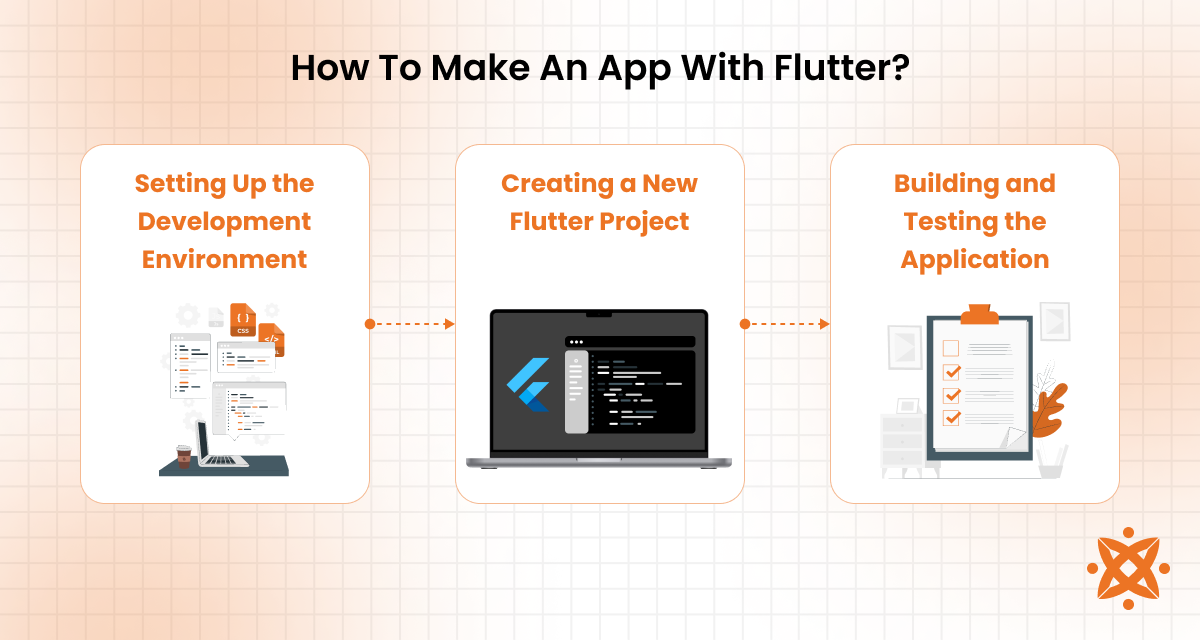
To make an app with Flutter, the steps are explained below:
Setting up the development environment involves installing the necessary tools and platforms required to begin Flutter app development. You start by downloading the Flutter SDK from the official Flutter website and adding it to your system path. This SDK includes the Flutter framework, Dart SDK, command-line tools, and required dependencies for Android, iOS, and web app development.
Next, you choose an IDE such as Visual Studio Code, Android Studio, or IntelliJ IDEA, each offering Flutter plugins for syntax highlighting, debugging, and simulator integration. You'll also set up platform-specific dependencies like Android SDK, Xcode for macOS, and emulators or simulators for testing. Running flutter doctor helps verify if all components are correctly installed and configured, highlighting any missing setup elements.
Once the environment is set up, the next step is to create a new Flutter project. You initiate this by opening your IDE or terminal and running the command flutter create project_name, which generates a new directory containing all the necessary files and folder structures. This includes the lib directory for Dart code, a pubspec.yaml file for managing dependencies, and platform-specific folders for Android and iOS.
Inside the project, you begin customising the main.dart file, which serves as the app's entry point. You build your UI using Flutter's widget tree, set up navigation, and connect data sources. At this stage, developers usually install packages using pubspec.yaml, import assets, and start shaping the layout and core logic of the app.
After setting up the project, the final step is building and testing the Flutter application. You begin by constructing the UI, integrating backend services, and writing core business logic. Flutter's widget-based design helps you visually organise the app, while tools like flutter run allow real-time testing on connected devices or emulators across Android, iOS, and other platforms.
Once the app structure is ready, testing is performed using built-in packages like flutter_test for unit and widget tests, integration_test for end-to-end scenarios, and golden_toolkit for UI comparisons. Debugging is supported through DevTools and IDE extensions, ensuring smooth performance and stable functionality. After testing, the app is built using flutter build and deployed to app stores or web servers.
The main difference between Flutter app development and Java app development is that Flutter uses a single codebase for cross-platform development, while Java is used primarily for building native Android applications. This means Flutter allows you to create apps for Android, iOS, Web, and desktop with the same code, whereas Java requires separate development efforts for each platform.
Other differences include language and tooling: Flutter uses the Dart language, which supports hot reload and UI widgets, while Java relies on traditional XML layouts and manual recompilation. Performance in Flutter is optimised through ahead-of-time compilation, while Java apps depend on the Android runtime.
Flutter offers faster UI prototyping and design consistency across platforms, while Java provides deep integration with Android-specific APIs and services.
The main difference between Flutter app development and native app development is that Flutter allows you to build apps for multiple platforms using a single codebase, while native development requires separate codebases for each platform (e.g., Swift for iOS and Kotlin for Android). This means Flutter simplifies development and reduces cost and time when targeting multiple platforms.
Secondary differences include UI flexibility and platform integration. Flutter uses a custom rendering engine and pre-built widgets, giving you control over the look and feel across devices. Native apps, on the other hand, use platform-specific components for a more integrated user experience. Performance is also closer to the hardware in native apps, but Flutter provides near-native speed through ahead-of-time compilation and Skia rendering.
To choose the right Flutter app development company, factors to consider include technical expertise, project portfolio, communication practices, post-launch support, and pricing transparency. Evaluating these elements ensures you select a partner capable of delivering reliable, scalable, and efficient applications customised to your goals across Android, iOS, Web, and desktop.
To choose the right Flutter app development company, factors to consider are:
Choosing a dependable Flutter app development company is critical to your app's success. At Intelivita, we offer specialised Flutter expertise, a diverse project portfolio across industries, and full-cycle development services from design to launch. Consider partnering with us to ensure high-quality execution, timely delivery, and long-term support for your next Flutter app.
It costs an average of $15,000 to $150,000 to develop a Flutter app, with prices varying depending on project scope. Simple apps or minimum viable products (MVPs) fall at the lower end ($10k–$60k), while medium-complexity projects range from $60k to $120k. High-end or enterprise-grade applications with custom designs, real-time integrations, payments, and advanced features exceed $120k and even reach $200k or more .
Factors influencing cost include app complexity (basic features vs real-time functionality), design requirements (standard UI vs custom animations), third-party integrations, development team location and rates, and post-launch maintenance. Other cost drivers involve choices like in-house vs agency vs freelancer, as well as backend and compliance needs. Planning and clarity in these areas help you budget accurately.
The best practices for Flutter app development include clean code structure, state management, optimised widget usage, performance testing, responsive design, modular architecture, and secure data handling. These practices help ensure your Flutter apps are maintainable, scalable, and user-friendly across Android, iOS, Web, and desktop platforms.
The best practices for Flutter app development are:
The top trends in Flutter app development include Flutter web and desktop expansion, integration with Firebase and Supabase, adoption of Riverpod and GetX, increased use of FlutterFlow, focus on performance optimisation, embedded Flutter for IoT, and rise in Flutter game development. These trends reflect how Flutter continues to grow beyond mobile, adapting to new platforms and developer needs.
The top trends in Flutter app development are explained below:
Sign up now and get notified when we publish a new article!
Co-Founder
Hey there. I am Dhaval Sarvaiya, one of the Founders of Intelivita. Intelivita is a mobile app development company that helps companies achieve the goal of Digital Transformation. I help Enterprises and Startups overcome their Digital Transformation and mobile app development challenges with the might of on-demand solutions powered by cutting-edge technology.
